HappyCardFactory Designs

Dream. Create. Inspire.

  • Shop
  • Facebook
  • Pinterest
  • Twitter
  • Instagram
  • Home
  • Our Store
  • Blog
  • Tutorials
  • 3D Projects
    • 3D Crafts
    • 3D Flowers
    • 3D Letters
  • Contact
  • About Me
    • About Me
    • Disclosure
    • Privacy Policy
  • Join Our Group
You are here: Home / calendar / {Free Printable} 2014 Calendar

{Free Printable} 2014 Calendar

December 14, 2013 by Rebecca Wagner 15 Comments

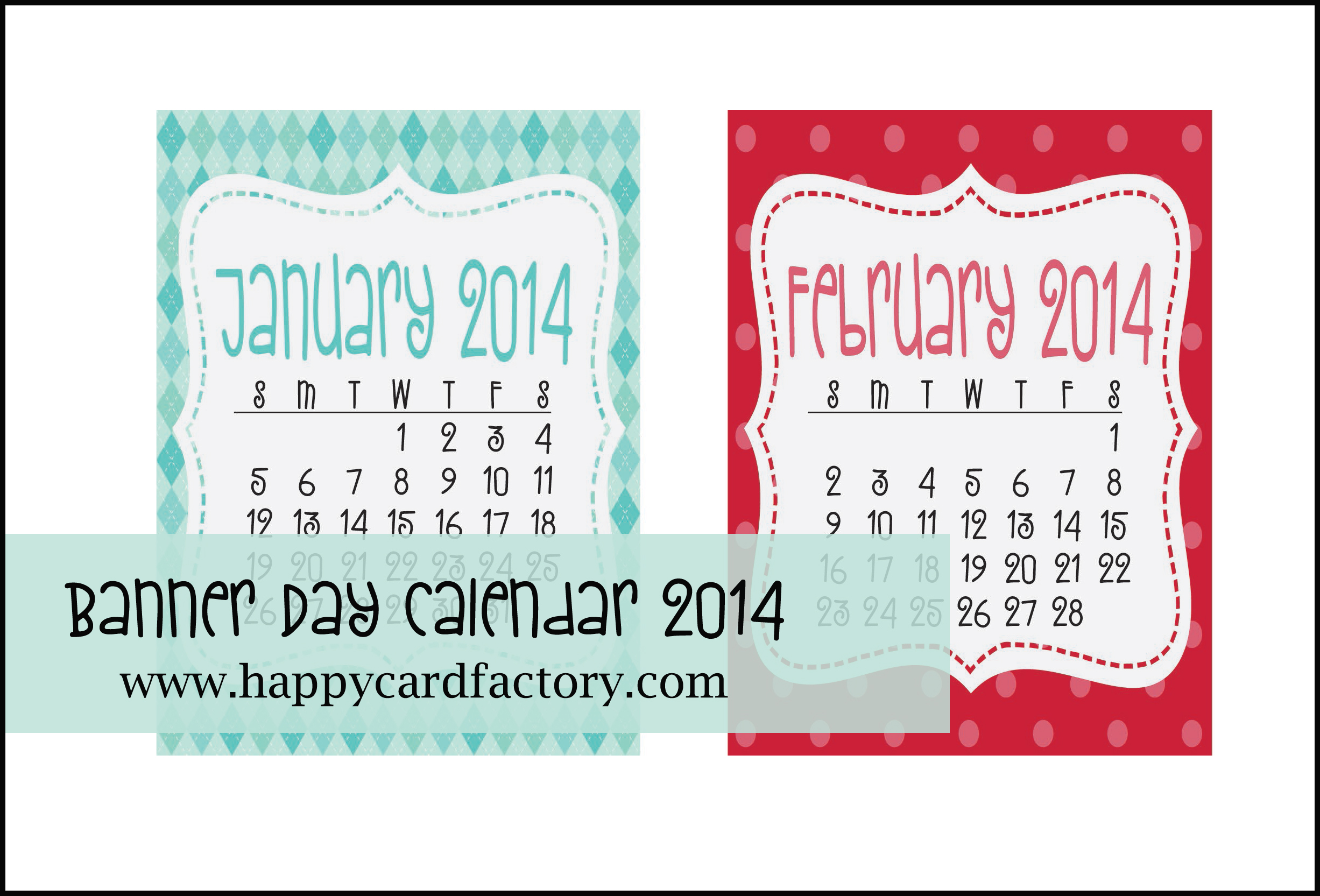
Banner DayAre you a bit obsessed like I am with calendars? I just can’t have too many of them and purchase one for every room. So it only made sense to start making my own to save a little money. I am finally finished with my printable 2014 calendar and am sharing it with you.

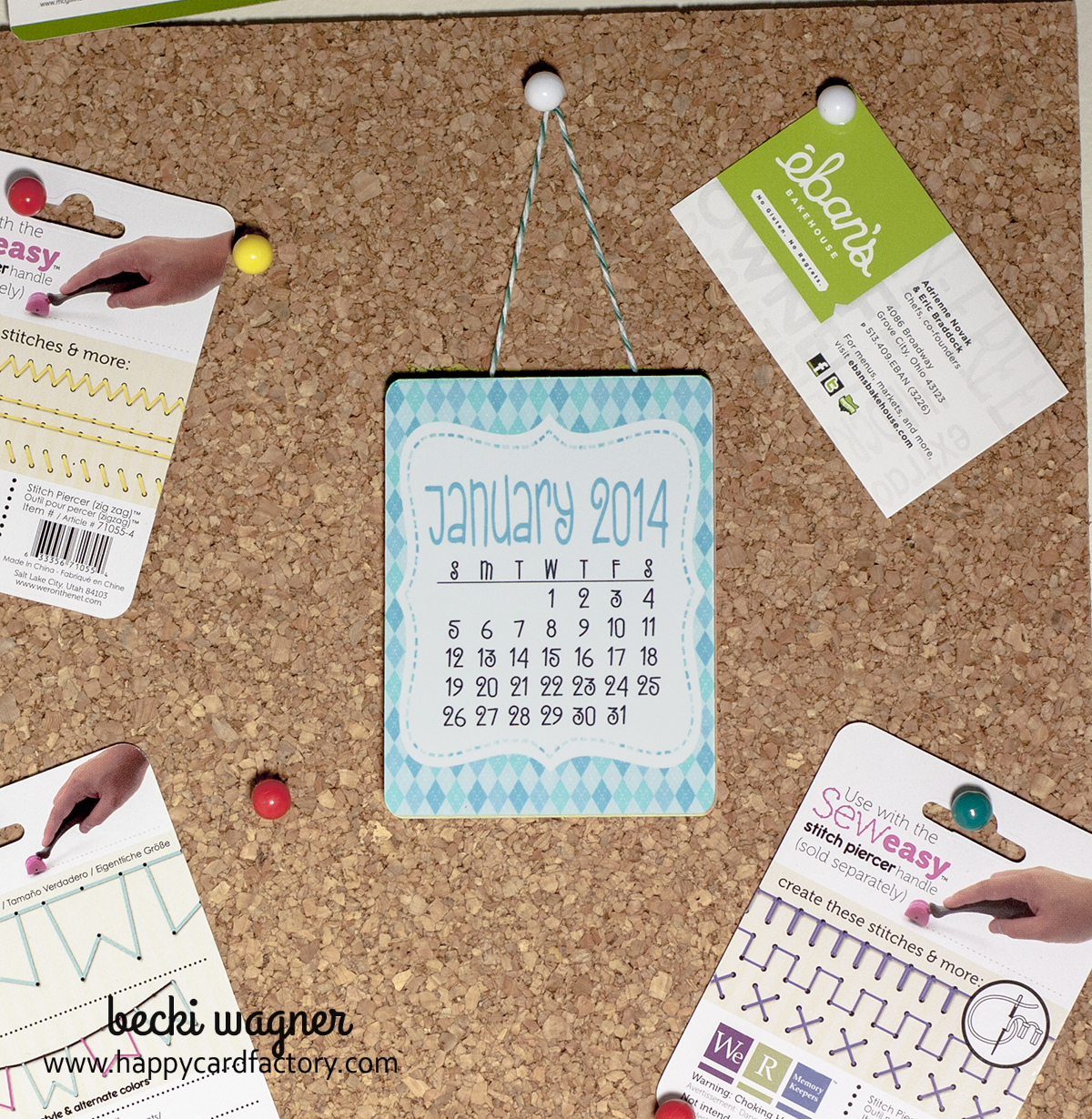
Since these were made in 3″ x 4″ size, I am  hanging it (with the help of Trendy Twine) on the wall above my monitor because it won’t take up a lot of wall space.  That is after it becomes a tearpad.

There are just so many uses for this set. They can be make into a desktop calendar with an easel back like I did for last year’s Advent calendar, Project Life, magnet for the fridge, and even printed out with printable adhesive fabric and placed in an grouping in your child’s room or office. Just about anywhere. Oh, I almost forget, these would make great stocking stuffers! I am going to print a bunch out and give them to the ladies at church.

Here is my calendar. Couldn’t be simpler. Print, cut, slap a little glue across the top, and add a hanger. The hardest part is waiting for the glue to dry. 🙂
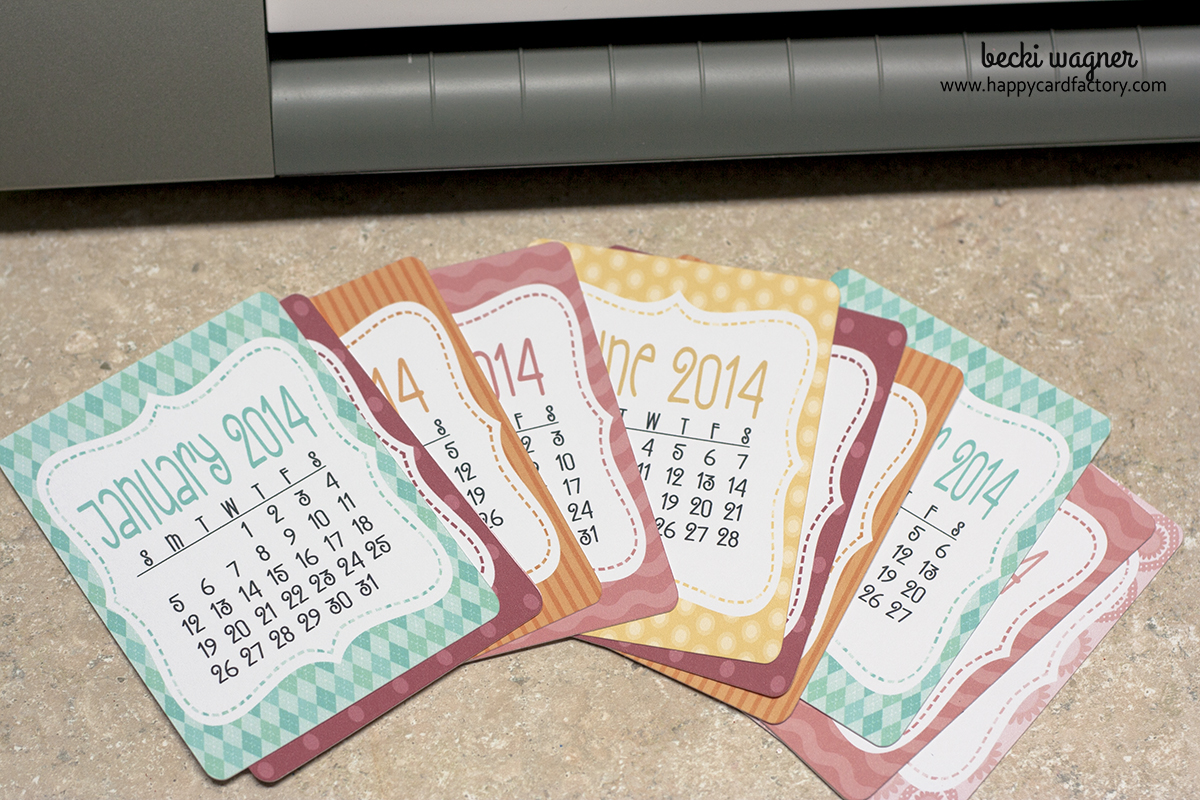
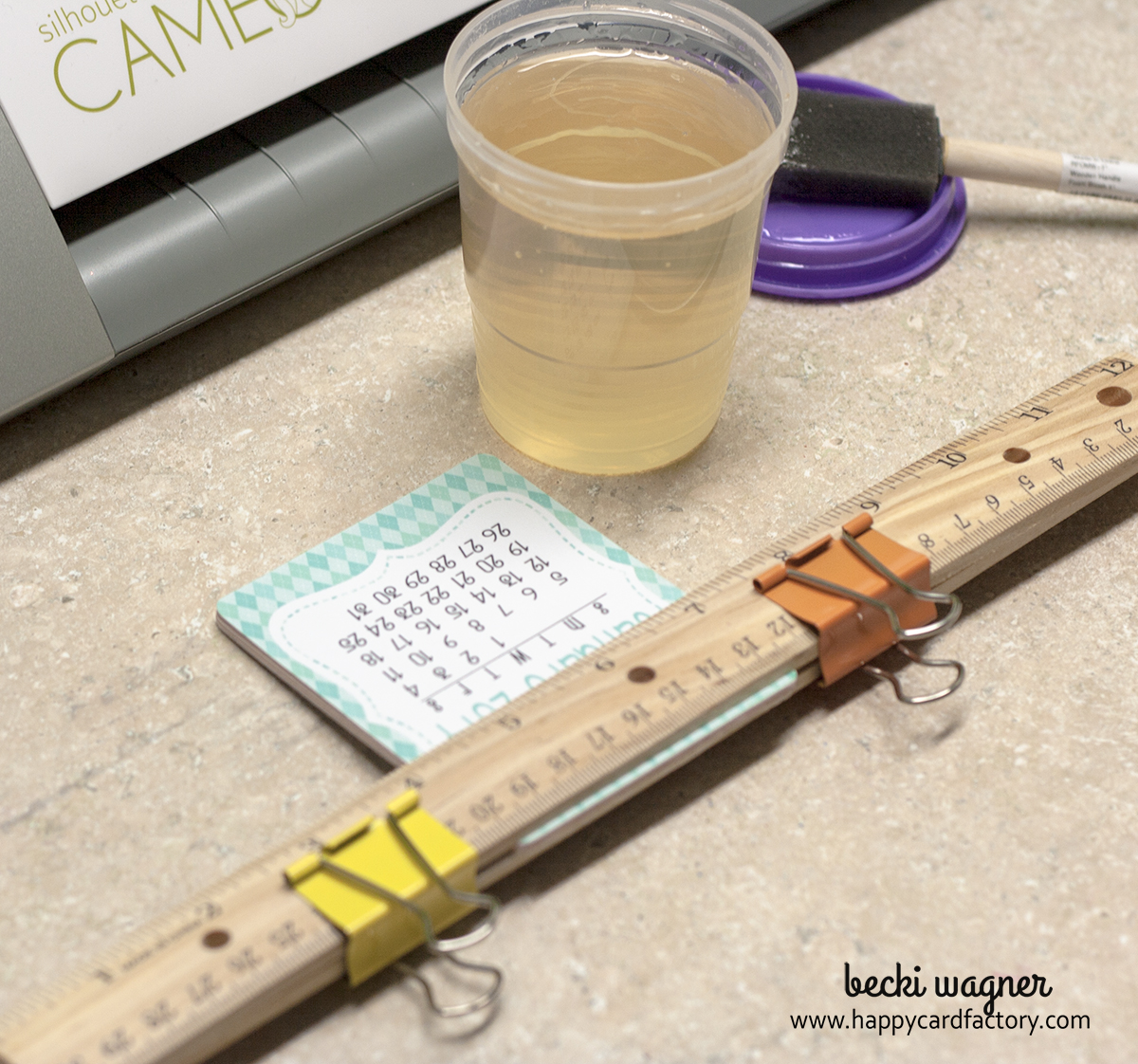
calendar 007calendar 016calendar 021In the download, there is a PDF and Silhouette Studio file. If you have a Cameo, it makes it super quick to whip up a bunch of these without having to get hand cramps. 🙂 Get the free calendar by visiting my store – HCF Party Printables.  Sorry, the Banner Day calendar is no longer available. I do have a few planner printables and calendars available for you if you still want to check out the store. Also, be on the lookout for a new 2015 calendar that is similar to this one!

*graphics and fonts provided by Lettering Delights – Banner Day digital paper collection and LDJ Zany Doodle font

 

Filed Under: calendar, Lettering Delights, Print N Cut, Silhouette Cameo, Trendy Twine

« You Melt My Heart Treat Bags
Quick & Easy Snowman Card »

Comments

  1. Judy says

    December 16, 2013 at 9:23 pm

    OMG!! I, too, am obsessed with calendars (not sure why). I would LOVE the mtc version, but I am not quite as savvy as you!! Is it a print and cut (not sure I can do that on my system). If not, I’ll check out your .pdf, but I’d love to know how to make these with my cutting file. 🙂

    Reply
    • Becki says

      December 17, 2013 at 4:16 pm

      The Studio and MTC version are both ready for PnC. Email me at the contact me button above and I will send you the MTC file. Thanks for stopping by!

      Reply
  2. Lesley says

    December 17, 2013 at 1:16 pm

    These are adorable, Becki!

    Hugs!

    Lesley @ Trendy Twine

    Reply
    • Becki says

      December 17, 2013 at 2:34 pm

      Thanks, Leslie!

      Reply
  3. phyllis rodriguez says

    December 28, 2013 at 11:43 am

    please send me the mtc file thank you in advance

    Reply
    • Becki says

      December 28, 2013 at 12:39 pm

      Sent! Let me know if there are any problems with it. Thanks again!

      Reply
  4. Brigit says

    January 1, 2014 at 2:14 pm

    This is awesome Becki, thanks so much for sharing!!

    Reply
    • Becki says

      January 1, 2014 at 8:16 pm

      Thanks, Brigit. I appreciate you stopping by and you’re very welcome!

      Reply
  5. Laura says

    January 3, 2014 at 9:18 pm

    I just got a Silhouette Cameo for Christmas and I’m new to using it. I was delighted to find your calendar already done in the proper format and it’s darling. One issue that I’m having is I don’t know how to move to the next page. I’ve print and cut the first page, but can’t move to the 2nd or 3rd pages. I’ve tried to find my answer online and in the manual, but no luck. Thanks for any advice you can give me. I’m excited to finish my calendar.

    Reply
    • Becki says

      January 4, 2014 at 10:22 am

      Hi Laura, they are not pages per say. I just double checked how I laid out the calender in Studio. If you notice only the first four months are on the mat and the others are off to the side. That is because Studio will not cut what is not on the mat, I put the ones that didn’t fit to the side. So what you need to do is move off the first set to the side or delete them temporarily. Then highlight the next set of 4 months, move them on to the mat. I would just be careful with how I have them as they fit perfectly on the mat in the arrangement they are in. If you have any other questions, let me know.

      Reply
  6. Brittany aka Pretty Handy Girl says

    January 6, 2014 at 11:42 pm

    Adorable little calendar! I really like how you put in in the center of the corkboard so you can pin other date sensitive things around the calendar! Thanks for the free download!

    Reply
    • Becki says

      January 6, 2014 at 11:44 pm

      You’re welcome! Glad you could stop by, Brittany.

      Reply
  7. Julie says

    January 27, 2014 at 11:10 pm

    Thank you so much for sharing this! I’ve been looking for a little calendar like this and yours is adorable!

    Reply
    • Becki says

      January 28, 2014 at 9:16 am

      You’re welcome, Julie! Thanks for stopping by.

      Reply

Trackbacks

  1. Calendarios 2014 para imprimir gratis says:
    December 30, 2015 at 4:41 am

    […] […]

    Reply

Leave a Reply Cancel reply

Your email address will not be published. Required fields are marked *

This site uses Akismet to reduce spam. Learn how your comment data is processed.

About the Designer

Hi, I'm Rebecca. I am a child of God. A loving wife of 29 years. A boy mom. A collector of gadgets, gizmos, and superhero action figures. Making the world more organized one planner at a time. Read More…

  • Facebook
  • Instagram
  • Pinterest
  • Twitter

Looking for Something?

Categories

Copyright

You are welcome to feature or share any article, as long as you use only one image and link back to the specific post. You may NOT edit, crop, remove my watermark, or change my images in any way without written permission.

Republishing posts in their entirety is prohibited. If I somehow produce something that inspires you to create your own, please credit me and link back to my site. Thanks!
  • Blog
  • Home
  • Tutorials
  • About Me
  • Contact Me
  • 3D Projects
  • CGP VIP Group

Join us on Instagram

Some days the bar is high. Some days the bar is si Some days the bar is high.
Some days the bar is simply… still here.

And that’s something.

Meet the Still Here Notepad.
A gentle reset for the days that hurt, when the smallest wins still count.

Because sometimes the most important thing you do all day…
is keep going.

#citygirlplanners #plannerlove #notepad
We’ve got some good ones! #citygirlplanners #pl We’ve got some good ones!

#citygirlplanners #plannercommunity #plannerrefills #plannerstuff
Just waiting on that UAP info to drop. 🤔😏 # Just waiting on that UAP info to drop. 🤔😏

#unicornsfromuranus #citygirlplanners #plannerlife #stationerylove
So, I did a thing. Working on a pain point for Per So, I did a thing. Working on a pain point for Personal size. This is for those of you who think it’s too narrow but don’t want to purchase a new PW binder. Franklin Covey Compact is the next best thing. 

If you have a FFC binder already, we now will have refills for you too! 

#franklincoveycompact #citygirlplanners #personalringplanner #lvmmagenda
Foil lovers... we heard you. Since our foil equi Foil lovers... we heard you. 

Since our foil equipment went down, the messages and emails have not stopped. We know how much you love the look and honestly we love it too.

Replacing commercial foil equipment runs into the tens of thousands of dollars and, like a lot of small businesses right now, that's just not realistic. 

After months of testing with our existing setup, we think we found a way to bring foil back.

It's not mass factory perfect. Occasionally there may be a tiny spot where the foil doesn't pull 100%. Nothing obvious, nothing we wouldn't personally use, and nothing that doesn't meet our standards will ship.

But overall? We think it looks pretty gorgeous.

Before we officially bring foil back…

Would you still want it knowing it's handcrafted and not machine perfect? 

Tell me honestly in the comments. Your feedback will decide this one. 

#foilinserts #foilingtechnique #citygirlplannersinserts #citygirlplanners
Now on to the cutting phase. #citygirlplanners # Now on to the cutting phase. 

#citygirlplanners #stationerylove #plannercommunity #behindthescenes
New notepads in the making. Any guesses? #citygir New notepads in the making. Any guesses?

#citygirlplanners #plannercommunity #plannerlove #citygirlplannersinserts
Nothing ruins a perfectly good month like… bills Nothing ruins a perfectly good month like… bills.

Good news: when everything’s written down, at least the chaos is organized.

Pay it. Check it off. Pretend you’re thriving.

#CityGirlPlanners #AdultingButMakeItCute #BillTracker #PlannerLife #OrganizedChaos
Personal Size planners get a bad rap for one reaso Personal Size planners get a bad rap for one reason…

They’re narrow.

And I get it.
Personal is the perfect middle ground. Bigger than Pocket, fits in your purse, but way more portable than A5.

But the width?
That’s always been the complaint.

Lately I’ve been seeing people try to squeeze Personal Wide into standard Personal binders… and then wonder why the pages stick out.

So instead of making it wider… I went the other direction.

Foldouts.

For 2026, I reworked the layout to give you more planning space without changing the footprint.

Month on one page
Straight into your weekly
Dashboard space (because you know I had to keep that)
And when it’s folded?
Standard Personal Size. Fits your binder like it should.

Now I need your opinion before I finalize this…

What works better in vertical boxes?

Graph (left side)
or
Lines (right side)

Tell me in the comments — Graph or Lines?
Follow Us!

Categories

Archives

Copyright © 2026 · HappyCardFactory Designs