HappyCardFactory Designs

Dream. Create. Inspire.

  • Shop
  • Facebook
  • Pinterest
  • Twitter
  • Instagram
  • Home
  • Our Store
  • Blog
  • Tutorials
  • 3D Projects
    • 3D Crafts
    • 3D Flowers
    • 3D Letters
  • Contact
  • About Me
    • About Me
    • Disclosure
    • Privacy Policy
  • Join Our Group
You are here: Home / gift ideas / Print N’ Cut Note Cards

Print N’ Cut Note Cards

November 28, 2012 by Rebecca Wagner 3 Comments

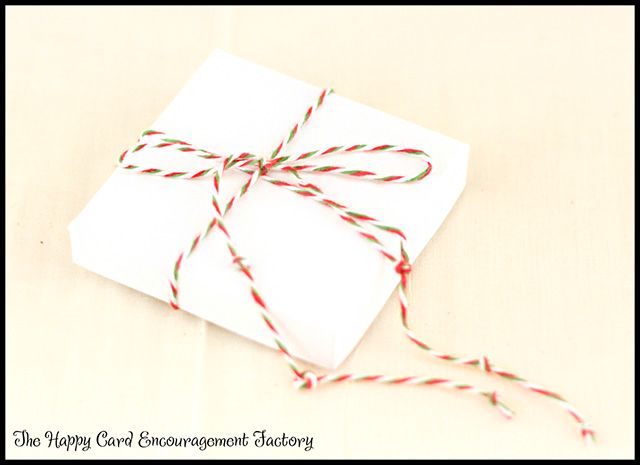
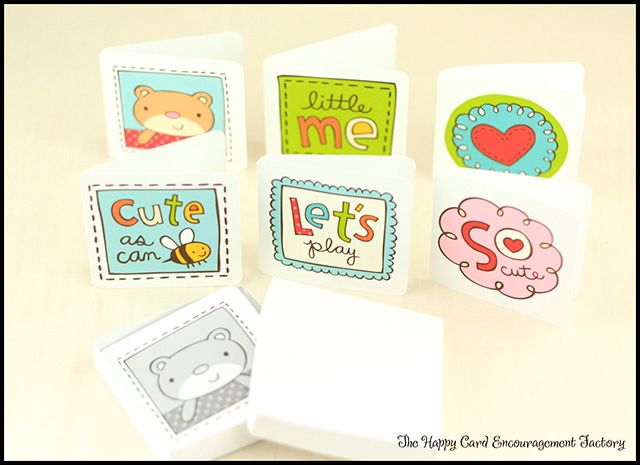
Can I just say that I love the Nancy Kubo graphics sets from Lettering Delights? I thought why not make some little note cards. Anyone can get lots of uses out of them for sending those thoughts of encouragement. Especially if they are gifted with a box wrapped with twine.
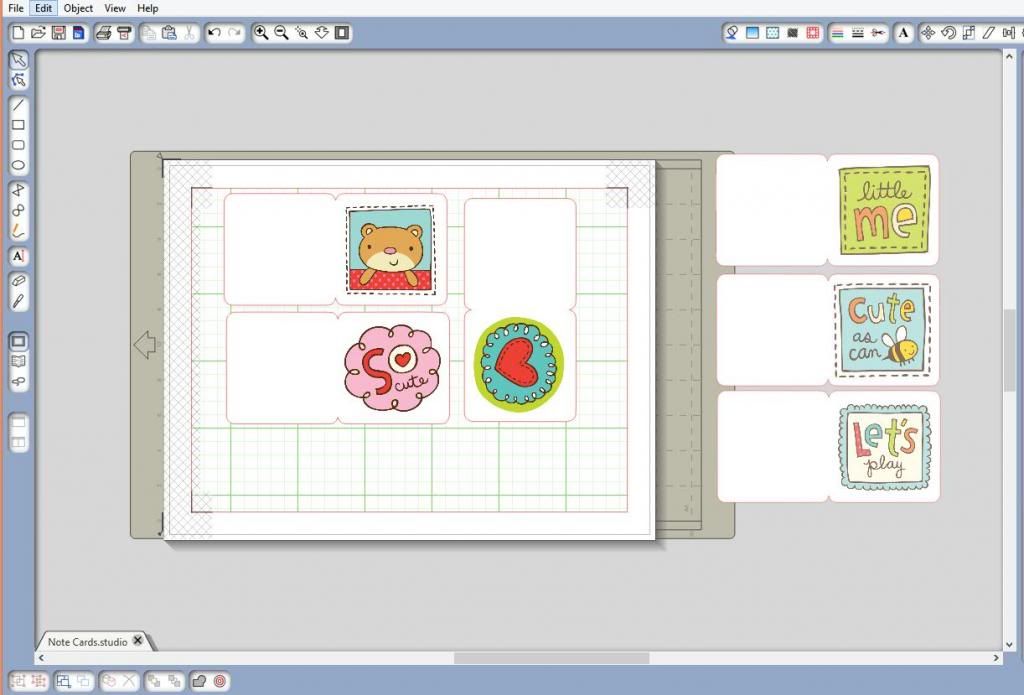
I used Silhouette Studio Designer Edition to make my cards with the Mommy and Me Journaling graphics. They are sized at 2.5 x 2.5 when completed. At this size I was able to fit 3 on a 8.5 x 11 sheet of photo paper.
One thing I want to mention, but I’m sure no one has done this before. It is probably only me who is a doofus. Make sure when you are printing, especially when using your good matte photo paper, to have your settings on color.  Otherwise, your project will come out like this.
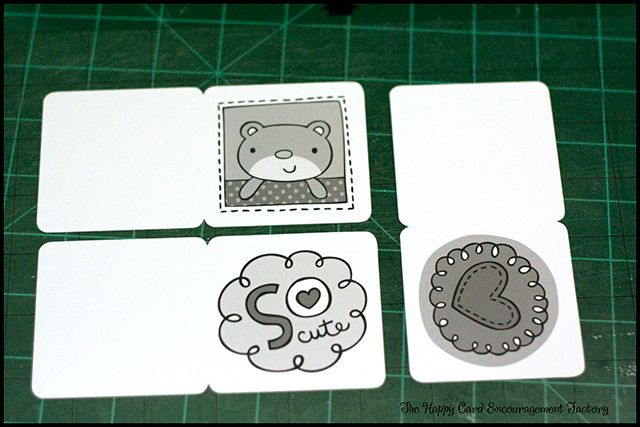
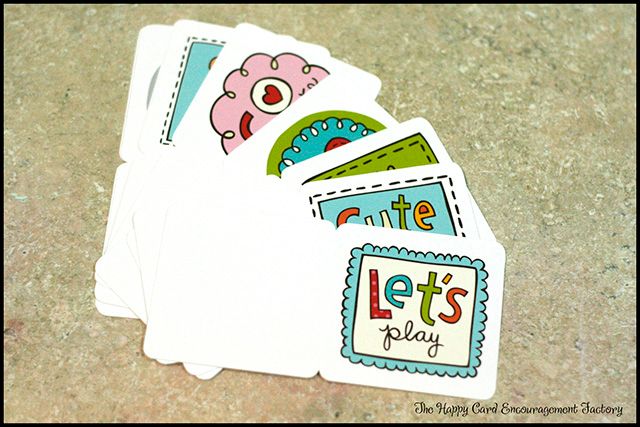
Thought you all would like a look into the absent-minded brain of Becki. I can pretend I wanted to print them in black and white. It gives a very vintage look don’t you think?  hahaha Below is the way they are supposed to be printed out. In full Technicolor!
It’s a wonder my husband keeps me. Oh yes, it’s the Buckeyes I made him yesterday. That could be it! Keep ’em fat and sassy I always say. Recently, I saw a poster on Pinterest that said, “I am so forgetful, I could plan my own surprise party!” Totally how I feel sometimes.
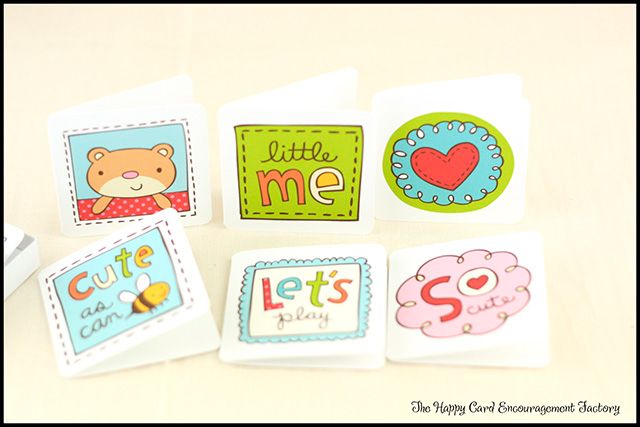
Here are my note cards after I sorted everything out. Mighty cute if I do say so myself! I even put my mistake black and white ones in the box. The recipient isn’t going to mind. At least I don’t think so.
Stay with me. I have some goodies coming for you all from one of my favorite places. So make sure you check back next week.  It will be so exciting, I promise!

Supplies:
Mommy & Me Journaling by Lettering Delights
Matte Photo Paper
Candy Cane Trendy Twine

Filed Under: gift ideas, Lettering Delights, Nancy Kubo, Print N Cut, Trendy Twine, tutorial

« Thanks for Being My Friend
Kids Easy Christmas Treat Bag »

Comments

  1. Joanna says

    November 28, 2012 at 6:27 pm

    Love this set Becki, it turned out so cute.

    Reply
  2. Katy says

    November 28, 2012 at 8:42 pm

    Hey! I am about to get a Silhouette Portrait in the mail and I’m wondering if it can do this? The printing? I’m quite uneducated when it comes to this stuff. My first electronic cutter. How exactly did you do this? Do you have a color printer too? Thanks!

    -Katy
    katykirwan@gmail.com

    Reply
    • Rebecca Wagner says

      November 28, 2012 at 9:15 pm

      Yes, you should be able to do this on the Portrait also. What you would do is design a project in Silhouette Studio (it comes with the machine), before cutting there is a setting that would place registration marks on your paper. You would then print it out, place the paper on your mat and the machine will automatically find the registration marks then cut it out.

      Here’s a video that should help – http://www.youtube.com/watch?v=7KAjnr4T_6k&feature=related

      Reply

Leave a Reply Cancel reply

Your email address will not be published. Required fields are marked *

This site uses Akismet to reduce spam. Learn how your comment data is processed.

About the Designer

Hi, I'm Rebecca. I am a child of God. A loving wife of 29 years. A boy mom. A collector of gadgets, gizmos, and superhero action figures. Making the world more organized one planner at a time. Read More…

  • Facebook
  • Instagram
  • Pinterest
  • Twitter

Looking for Something?

Categories

Copyright

You are welcome to feature or share any article, as long as you use only one image and link back to the specific post. You may NOT edit, crop, remove my watermark, or change my images in any way without written permission.

Republishing posts in their entirety is prohibited. If I somehow produce something that inspires you to create your own, please credit me and link back to my site. Thanks!
  • Blog
  • Home
  • Tutorials
  • About Me
  • Contact Me
  • 3D Projects
  • CGP VIP Group

Join us on Instagram

Now on to the cutting phase. #citygirlplanners # Now on to the cutting phase. 

#citygirlplanners #stationerylove #plannercommunity #behindthescenes
New notepads in the making. Any guesses? #citygir New notepads in the making. Any guesses?

#citygirlplanners #plannercommunity #plannerlove #citygirlplannersinserts
Nothing ruins a perfectly good month like… bills Nothing ruins a perfectly good month like… bills.

Good news: when everything’s written down, at least the chaos is organized.

Pay it. Check it off. Pretend you’re thriving.

#CityGirlPlanners #AdultingButMakeItCute #BillTracker #PlannerLife #OrganizedChaos
Personal Size planners get a bad rap for one reaso Personal Size planners get a bad rap for one reason…

They’re narrow.

And I get it.
Personal is the perfect middle ground. Bigger than Pocket, fits in your purse, but way more portable than A5.

But the width?
That’s always been the complaint.

Lately I’ve been seeing people try to squeeze Personal Wide into standard Personal binders… and then wonder why the pages stick out.

So instead of making it wider… I went the other direction.

Foldouts.

For 2026, I reworked the layout to give you more planning space without changing the footprint.

Month on one page
Straight into your weekly
Dashboard space (because you know I had to keep that)
And when it’s folded?
Standard Personal Size. Fits your binder like it should.

Now I need your opinion before I finalize this…

What works better in vertical boxes?

Graph (left side)
or
Lines (right side)

Tell me in the comments — Graph or Lines?
Who else misses Micro planners? I found this under Who else misses Micro planners? I found this under a stack of papers. Don’t know how long it’s been chillin under there but I’m going to start using it. Great for quick notes and things you need to dump but don’t need long term.
Field research, planner style. Since the Coach no Field research, planner style.

Since the Coach notebooks are sold out, I grabbed this leather cover on Amazon to test the fit.
Good news: it fits beautifully (and it’s roomy enough for tabs).

Bad news?
I got excited and didn’t read the whole listing.

No snap.
No elastic.
Just vibes.

Luckily I’ve got elastic on hand… but consider this your reminder from someone who learned the hard way:

Read the full listing, friends.

#plannerlife #plannercommunity #a5planner #plannerfinds #citygirlplanners
Sometimes the best combinations aren’t planned… they just happen.

The Aquarelle Sky cover paired with Candy Rush tabs turned out to be one of those moments. The colors line up so perfectly, it looks like they were made for each other.

Just a little unexpected color magic.
Every tab is placed by hand. Nothing here is auto Every tab is placed by hand.

Nothing here is automated. We print, cut, laminate, punch, and assemble every order ourselves.

When you shop with us, two real humans have touched every single piece.

#smallbusinesslife #madebyhand #behindthescenes #plannercommunity  #shopsmallbusiness
Does anyone else suddenly become a pink-and-purple Does anyone else suddenly become a pink-and-purple person in February…
or is it just me?

I don’t even fight it anymore.
February = soft colors, cozy plans, and a planner that matches the mood. 💕

#februaryvibes #plannercommunity #pinkplanner #plannerlove #citygirlplanners
Follow Us!

Categories

Archives

Copyright © 2026 · HappyCardFactory Designs